
GeoRank Page Builder
Build and rearrange real pages from ready-made blocks, without a developer and without code.
See it inside the dashboard
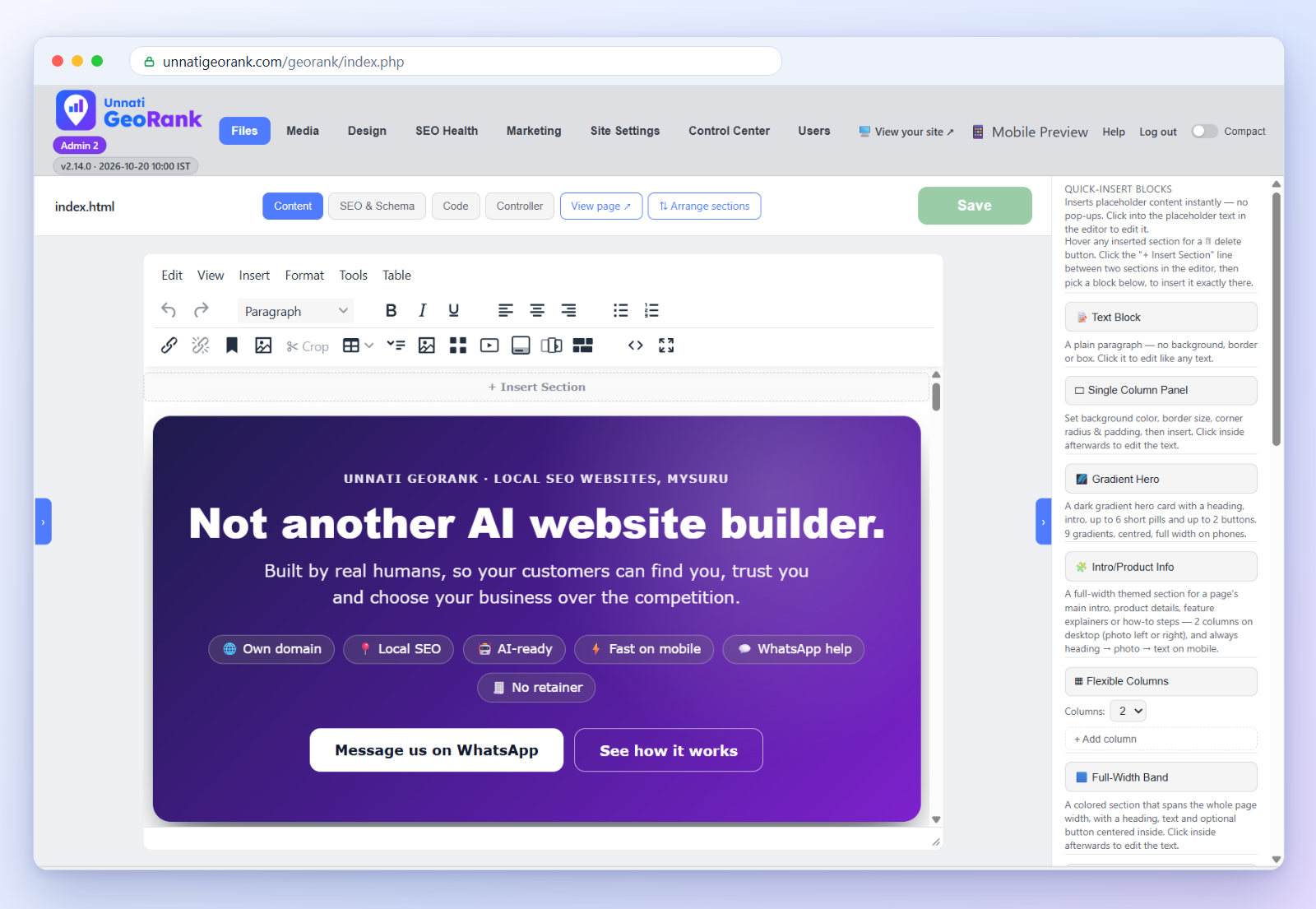
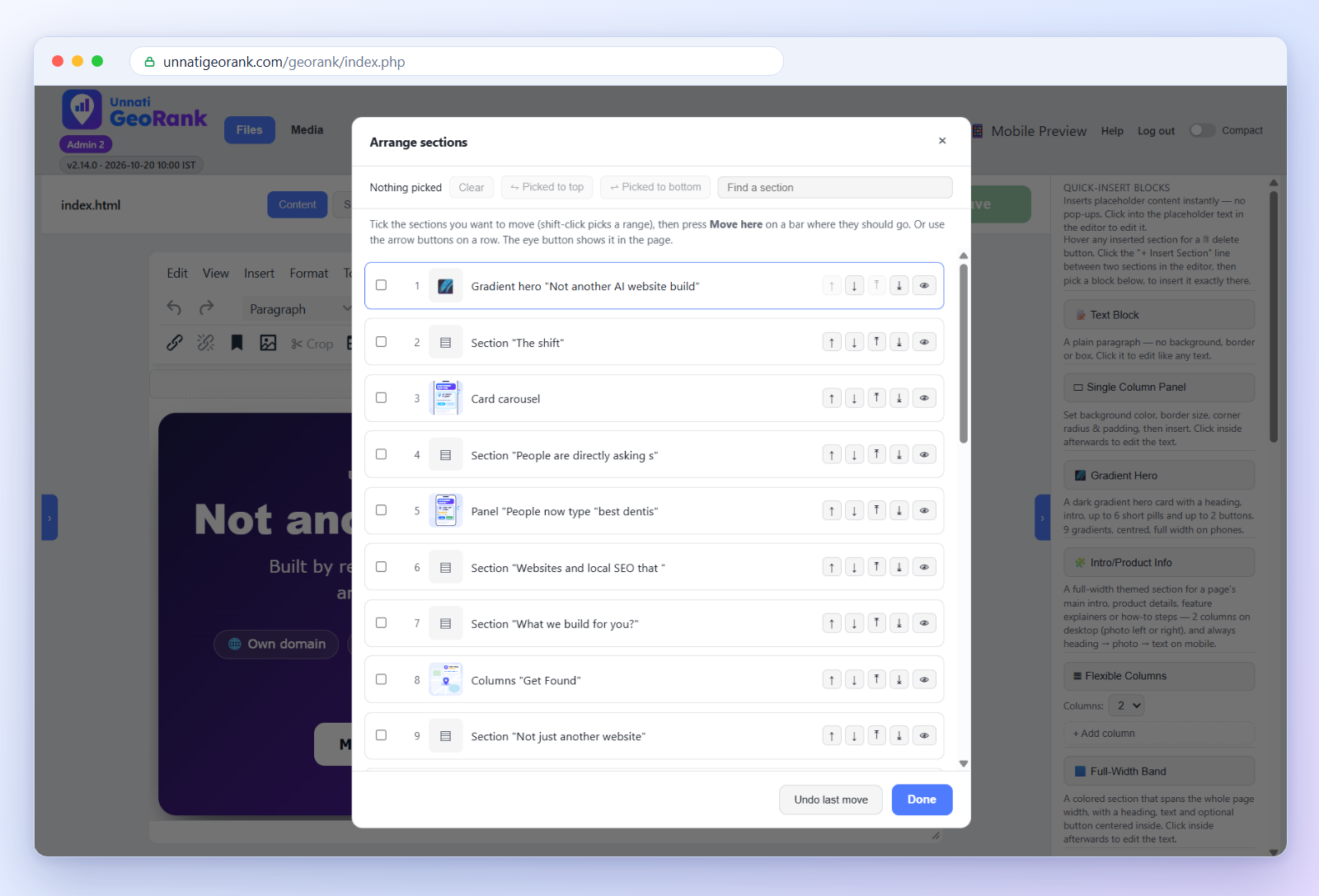
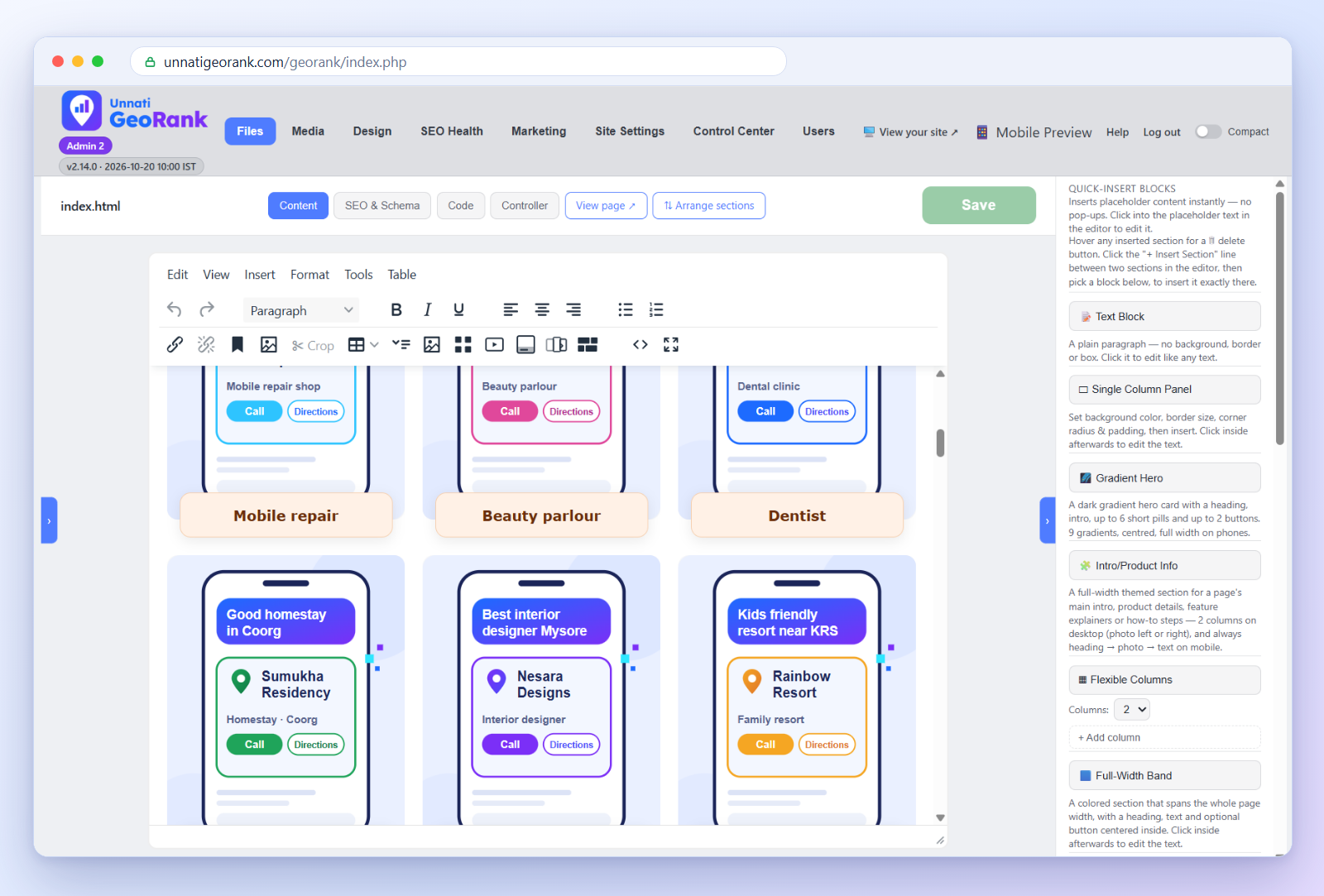
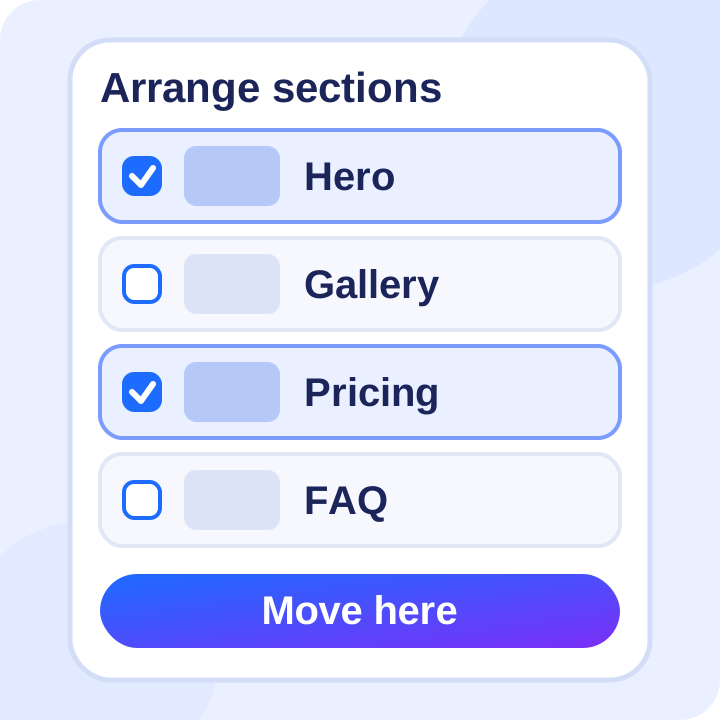
Real screens from the page builder: the block library beside the editor, the section organizer, a multi-purpose block in the editor, and the finished page in Mobile Preview.

Blocks, not code
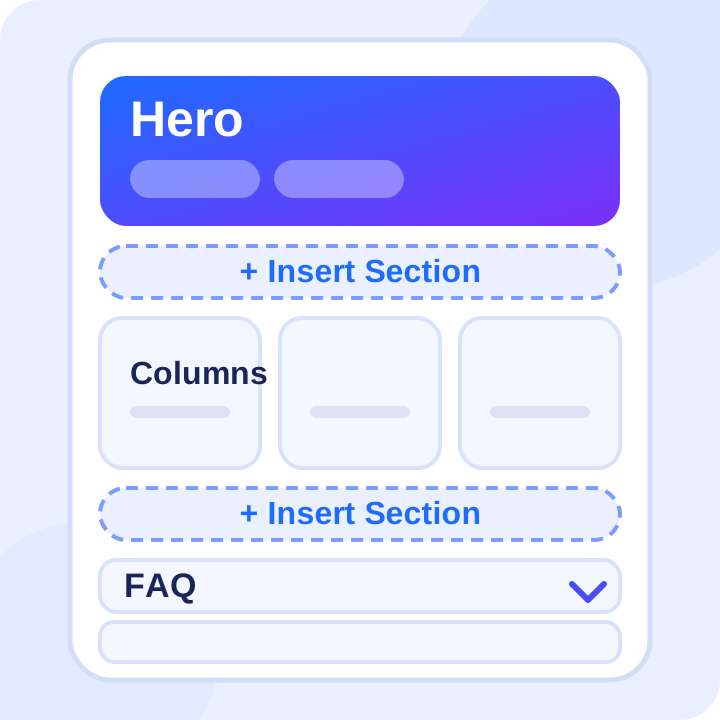 Pages built from ready-made blocks
The GeoRank editor shows your real page design as you type. Add a block, type your content, and press Save. GeoRank writes a clean, static page to your server, so visitors get plain, fast HTML.
Every block is mobile-first. Columns stack, photos stay inside their cards, and nothing needs fixing for phones.
Multi-purpose blocks
One small set of blocks covers almost every page a local business needs.

Heroes and bands
A gradient hero with a heading, intro, up to 6 pills and 2 buttons, in 9 gradients. Full-width bands for a message or a call to action.

Columns and cards
Flexible 2 to 4 column layouts, 3-column capsules, and plan cards for your packages.

Single Column Panels
Nine styles, an optional emoji, corner styles, shadow and an accent border on any side.

Galleries and slideshows
Lightbox gallery, slideshow, justified gallery, image with text overlay, and a feature card carousel.

FAQs, reviews and buttons
FAQ accordions, testimonial cards, call and WhatsApp buttons, link buttons, and Previous / Next.

Embeds and extras
YouTube, Instagram, Google Maps and PDF embeds, a scrolling marquee, and an intro/product block.
Block organizer
Rearrange a whole page in two clicks
Long pages are hard to reorder by dragging. Press Arrange sections and the whole page becomes one short list, with a thumbnail and a name for every section.
- Tick one section, or many (shift-click picks a range, or search by name).
- Press Move here on the bar where they should go, with no scrolling.
- Each row also has up, down, to-the-top, to-the-bottom and show-in-page buttons.
- Undo last move steps back one move at a time.
You can also copy a section and paste it on any page. A copied section is remembered for 30 minutes.
Polish without code
Small touches that make a page feel finished.

Scroll animations
Six gentle reveal effects, or Off. Only content below the fold animates, and visitors who prefer reduced motion see nothing.

Page Menu
A sticky grid of up to 6 buttons built from the page's own headings, highlighting the section in view.

Announcement banner
One line of text pinned above the header on every page, in six colours.

Crop pictures
Crop to a shape, or trim white edges automatically. The original stays in your library.
Safe to edit
Editing should never be stressful, so GeoRank has some safeguards built in.
- Three kinds of login: Admin, Editor and Client. A Client can edit existing text but cannot insert, add or delete sections.
- One editor at a time: if a page is already open by someone else, GeoRank tells you instead of letting changes clash.
- Automatic backups: a page is backed up when a person edits it, and you can browse earlier versions.
- A Save button that tells you: it pulses when there are unsaved changes and locks when there is nothing to save.
Common questions
Do I need to know HTML?
No. You work with blocks and type in a normal editor. If you ever want to, you can still edit a page's source.
Will my pages stay fast?
Yes. Pages are saved as plain static HTML, with one stylesheet and one small optional script, so there is no database to slow them down.
What if I make a mistake?
Use Undo in the editor, or restore an earlier version from the backups.
Can I move sections between pages?
Yes. Copy a section, open another page, and paste it exactly where you want it.
Want to see the builder in action?
Read what is included in every GeoRank website, see how the Media Manager handles your photos, or message us on WhatsApp any time.